Yes, BackstopJS supports Docker for visual diff. A community-maintained image (commonly backstopjs/backstopjs) wraps the BackstopJS CLI so you can run reference, test, and approve commands inside a container. That is genuinely useful: it pins a reproducible Chromium and font environment so your visual diff stops failing for reasons that have nothing to do with your app.
The longer answer: the BackstopJS Docker image is a thin CLI wrapper, not a full visual-testing platform. It gives you BackstopJS's pixel and structural diff engines running in a container, and that is where it stops. What it does not give you is AI test generation, a perceptual diff engine, a review dashboard, or PR-level feedback. For those, you are on your own, or you use a Docker-first alternative like Lastest that bundles all of it and still keeps every screenshot on your own infrastructure.

What BackstopJS's Docker support actually covers
Running BackstopJS in Docker is straightforward:
docker run --rm \
  -v $(pwd):/src \
  backstopjs/backstopjs:latest test
You get:
- A consistent Chromium version. The image pins Puppeteer plus Chromium, which eliminates the "works on my Mac, fails in CI" font-rendering class of bugs.
- Pixel diff via Resemble.js. A byte-by-byte comparison: fast, but with a high false-positive rate on anti-aliasing and sub-pixel font noise.
- Structural diff. Compares DOM structure to catch layout shifts.
- A static HTML report. You open
backstop_data/html_report/index.htmlto see diffs. No dashboard, no approvals, no history.
You do not get: a perceptual diff engine, AI-generated scenarios, a web dashboard, PR comments, or a baseline approval workflow. Every one of those you build yourself on top of the image. (For the diff-engine tradeoffs specifically, see how to reduce false positives in visual regression testing.)
The BackstopJS Docker gotchas
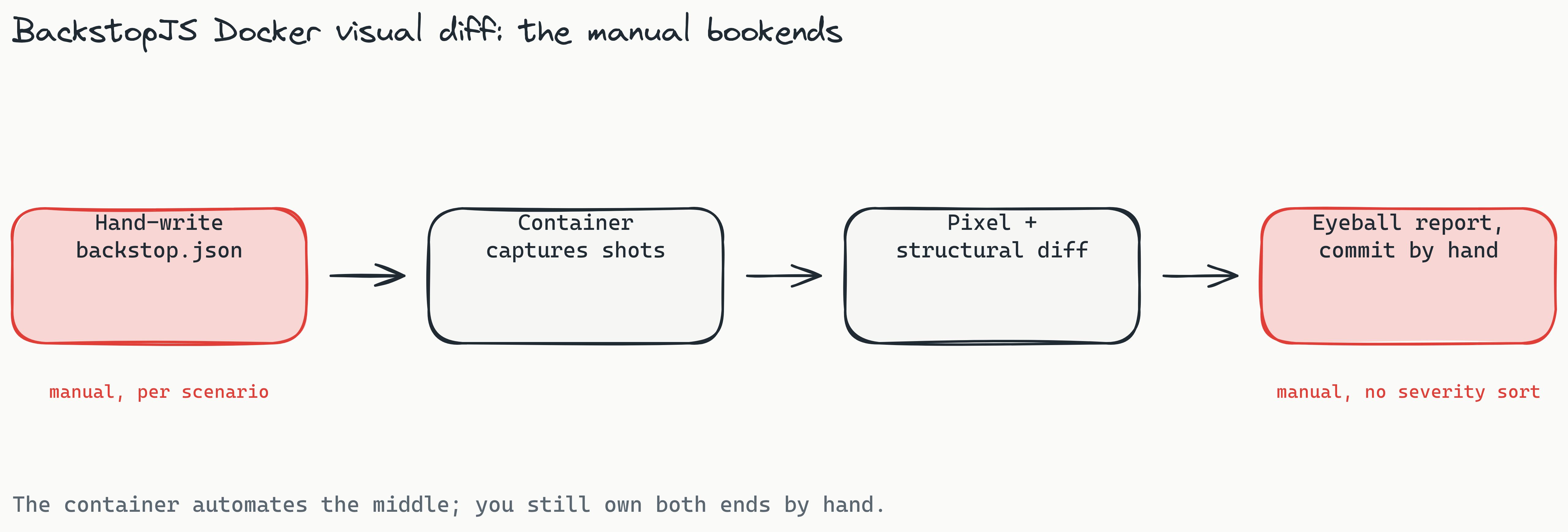
- Scenario scripts are mounted from the host. Every scenario lives in
backstop.json, with anyonReadyoronBeforehooks inbackstop_data/engine_scripts/. The container reads them via volume mount; it does not generate them. - Networking. The container has to reach your app. If you are testing a
localhostservice, use--network hoston Linux or point scenarios athost.docker.internalon Mac and Windows. - Baseline drift across image versions. Pin the image tag (
backstopjs/backstopjs:6.3.25, not:latest). Chromium updates shift sub-pixel rendering and can silently invalidate your entire baseline set. - Review is manual. There is no way for a reviewer to click "approve" and have it persist; you commit the new reference images to git yourself, and you eyeball every diff with no severity sort.
When BackstopJS plus Docker is the right pick
- You have a small, stable set of scenarios and do not expect that to grow.
- You are comfortable writing and maintaining
backstop.jsonby hand, including every selector. - You do not need a review dashboard; static HTML reports are fine.
- You do not want any AI in the loop, ever, not even for one-time scenario authoring.
That is a legitimate setup. If it describes you, the community Docker image is a fine tool and you can stop reading here.
When to pick Lastest instead
If any of the following apply, the Docker-first visual diff experience you actually want is Lastest, not BackstopJS:
- You want AI to write the scenarios. Lastest's Play Agent explores your app and emits resilient Playwright scripts, with a 7-layer selector fallback (data-testid, id, role, aria-label, text, CSS, then OCR) so a refactor that breaks a hand-written selector heals instead of red-failing. BackstopJS makes you author and maintain every scenario by hand.
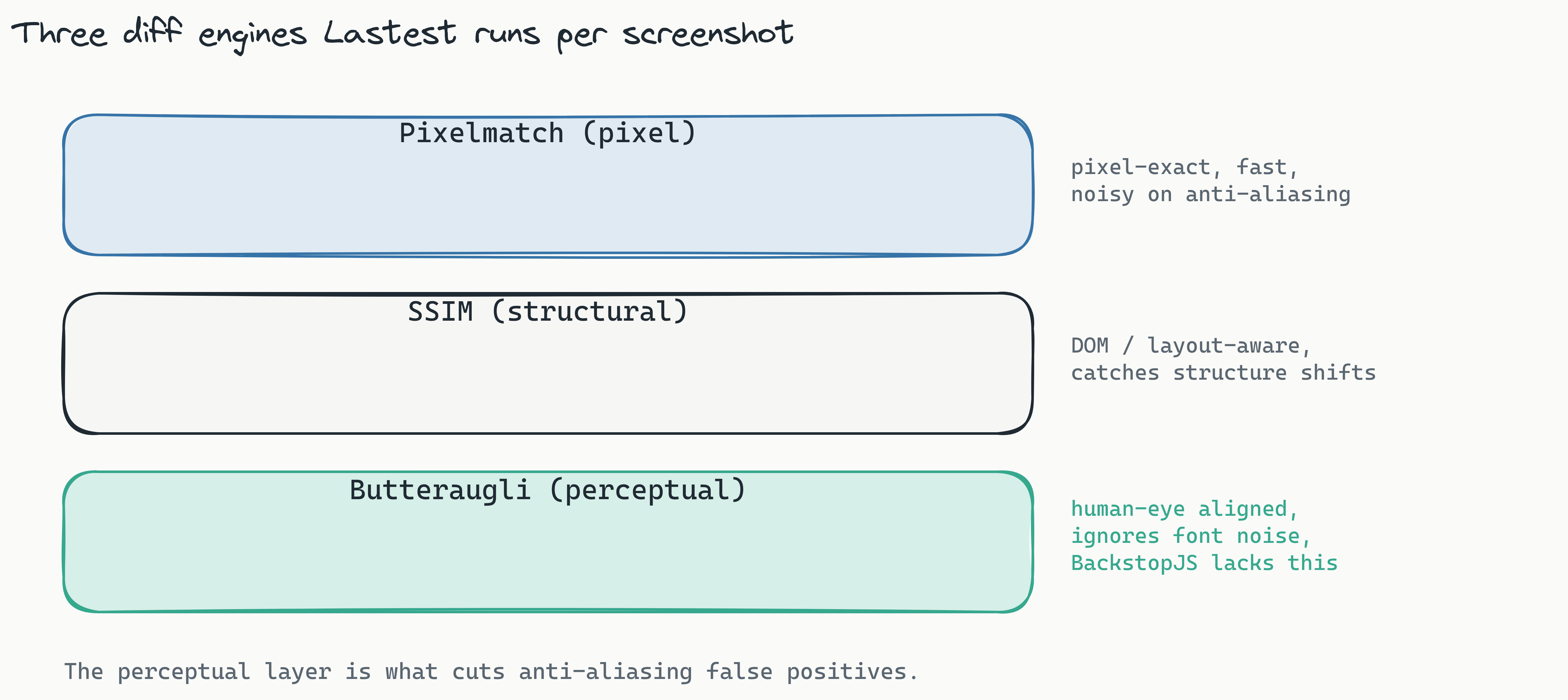
- You need a perceptual diff engine. BackstopJS gives you pixel plus structural. Lastest runs three engines: Pixelmatch (pixel), SSIM (structural), and Butteraugli (perceptual, human-eye aligned), which tolerates font anti-aliasing and is the single biggest false-positive killer.
- You want a review dashboard. Lastest ships a web dashboard with side-by-side diffs, approval history, and per-test stats, plus AI failure classification that labels each failure as real regression, flaky, environment, or test-maintenance with a confidence score. BackstopJS gives you a static HTML file.
- You want one-command setup.
docker compose upon the Lastest repo brings up the full stack, dashboard, runner, embedded browser pool, and all three diff engines, in about a minute. No local Playwright install.
Both tools keep your screenshots on your own infrastructure with no SaaS backend. The difference is that Lastest is Docker-first and platform-complete, where BackstopJS is Docker-compatible but platform-bare. And the AI is genuinely opt-in: Lastest has three ways to work, AI-Free recording (air-gapped, no API keys), AI-Assisted (AI proposes, a human reviews every change), and Full Autonomous via the Play Agent, so you can match BackstopJS's no-AI posture exactly and still get the dashboard and the perceptual engine.
Head-to-head: BackstopJS Docker vs Lastest Docker
| Feature | BackstopJS (Docker) | Lastest (Docker) |
|---|---|---|
| Install command | docker run backstopjs/backstopjs | docker compose up |
| Scenario creation | Manual JS config | AI-generated Playwright (or AI-Free recording) |
| Selector resilience | Hand-written, breaks on refactor | 7-layer self-healing fallback |
| Diff engines | Pixel + structural | Pixel + structural + perceptual (Butteraugli) |
| Failure triage | Manual eyeballing | AI classification + severity sort |
| Review UX | Static HTML report | Web dashboard + approval history |
| CI/CD integration | Roll your own | Reusable GitHub Action + Smart Run (diff-aware) |
| Accessibility scoring | None | WCAG 2.2 AA, 0–100 per screenshot |
| Screenshots leave network? | No | No |
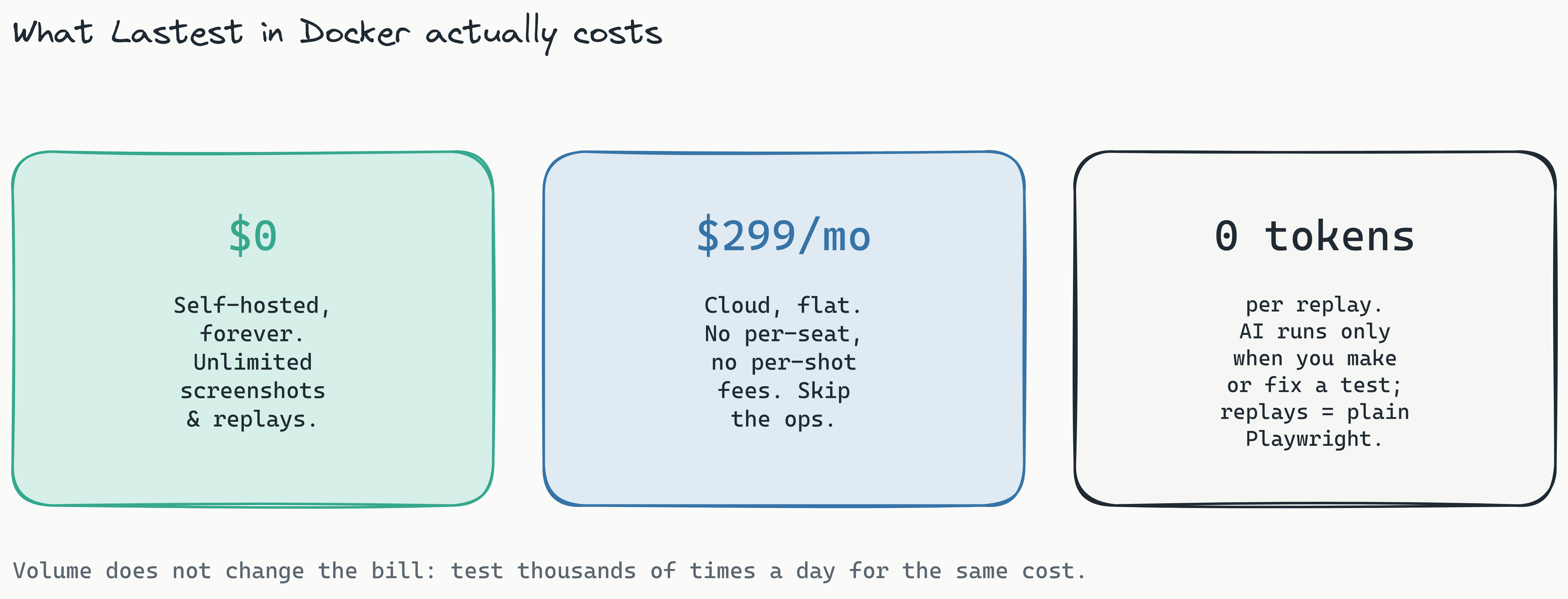
| Recurring cost | $0 | $0 self-hosted, or $299/mo flat Cloud |
| AI tokens | None (ever) | One-time at generation; zero-token replays |
Bottom line
BackstopJS does support Docker for visual diff. The community image works and it is genuinely useful for reproducible CI runs. But it only covers the "run the diff in a container" part of the problem. For the "generate tests, heal selectors, review diffs, approve baselines, comment on PRs" parts, you end up building the scaffolding yourself.
If your team wants a Docker-first visual testing tool that handles the whole workflow out of the box, Lastest is the direct upgrade: same Docker-anywhere deployment model, same open-source licence, same "screenshots never leave your network" posture, plus AI test generation, a 7-layer self-healing selector stack, a perceptual diff engine, and a review dashboard that BackstopJS has never had.
Try it
Self-host Lastest free, forever, under the open-source FSL-1.1 licence: docker compose up and you have the full stack on your own infra with unlimited screenshots and replays. Read the self-host guide, browse the feature list, or skip ops entirely with Lastest Cloud at $299/month flat, no per-seat and no per-screenshot fees. Source is on GitHub: github.com/las-team/lastest.
Already evaluating? Read the full Lastest vs BackstopJS comparison next.