
We made a short video walkthrough of Lastest so you can see the product end-to-end before you install anything. It covers the pieces that are hardest to convey in screenshots: how the AI generates tests, how the dashboard reacts to a failing build, and how the diff slider actually feels under your cursor.
What you'll see
The video walks through the core loop of visual regression testing with Lastest - from pointing the agent at a staging URL to reviewing a diff on a pull request. No slideware, no fake screenshots. Everything in the clip is the real self-hosted dashboard.
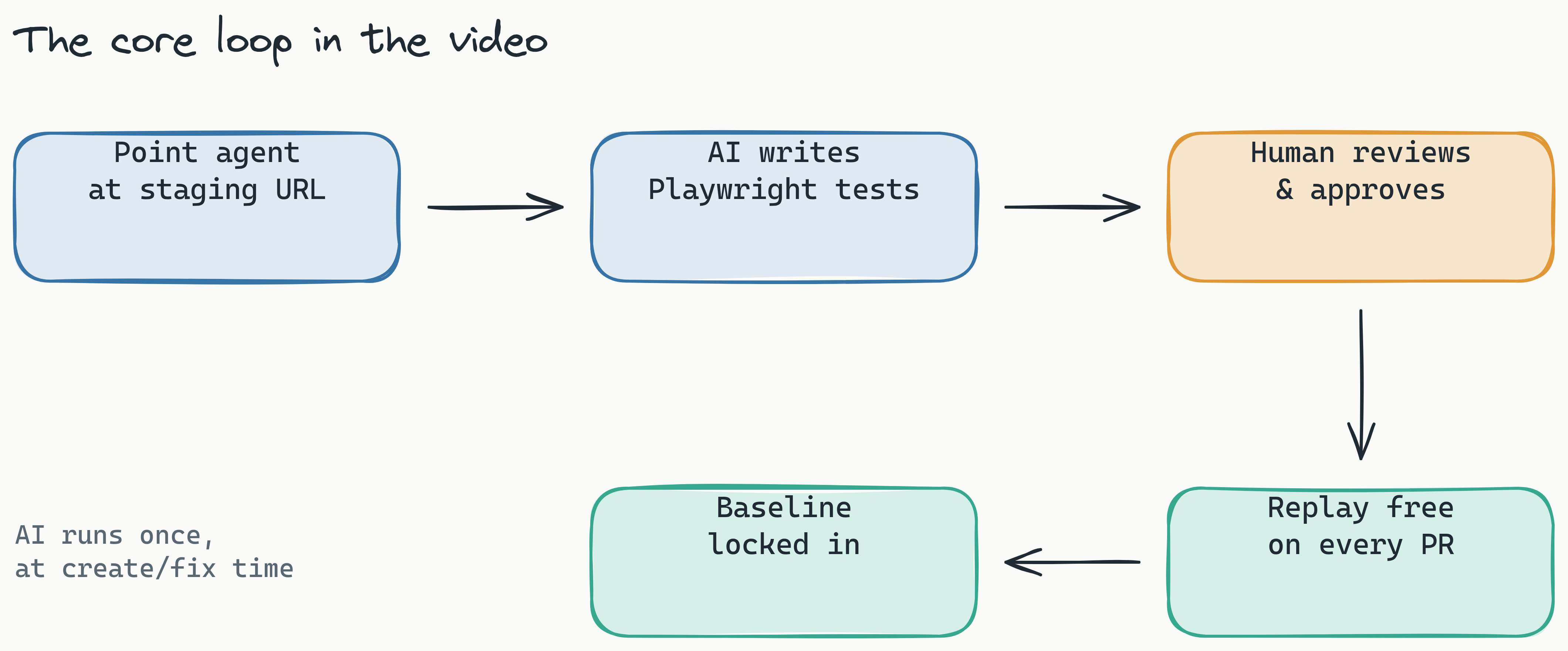
- AI-generated test suites - point the agent at a URL, it crawls, clicks, and writes tests for you. You review and approve before anything becomes a baseline.
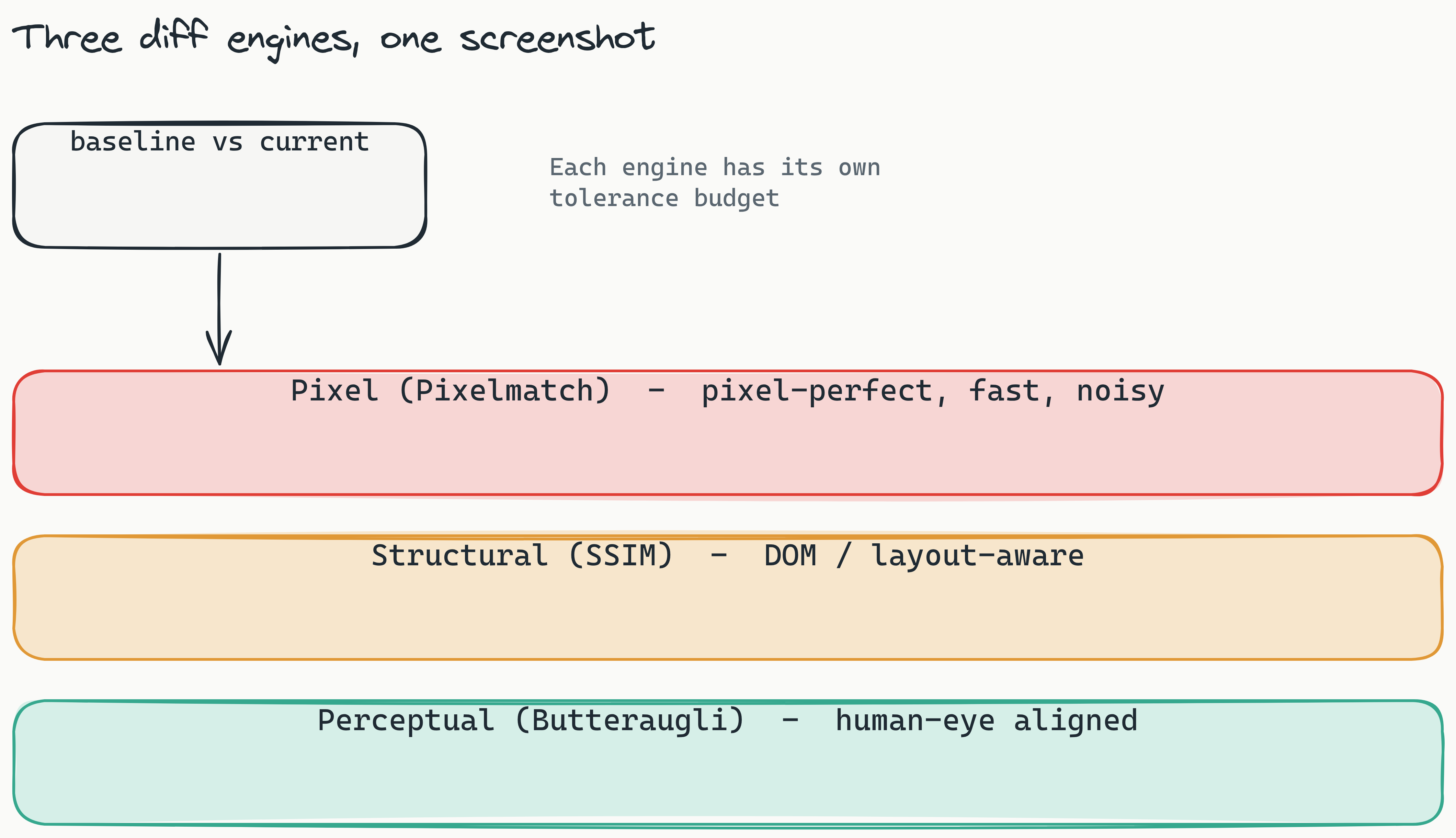
- Three diff engines side-by-side - pixel, structural (SSIM), and perceptual (Butteraugli) comparison, each tuned for a different tolerance budget.
- The diff slider - drag across a baseline/current pair to see exactly what changed. No squinting at red boxes.
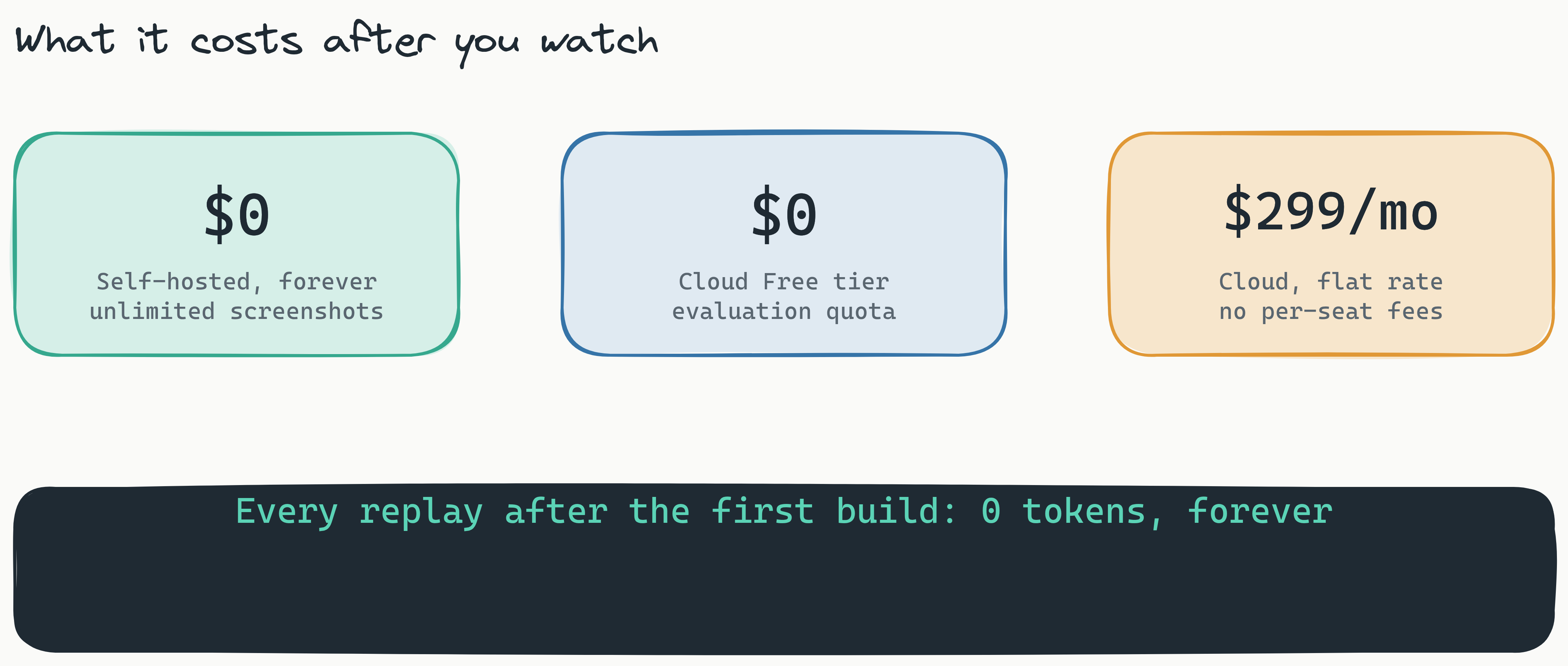
- Self-hosted dashboard - one Docker command, your data stays on your infrastructure, unlimited screenshots.
Why a video?
Visual testing is, by nature, visual. A blog post can tell you the diff slider is fast; a 30-second clip of someone actually dragging it is worth more than any paragraph. The same goes for the AI agent - watching it navigate a real app and capture a test suite makes the value obvious in a way that a bullet list never will.
We also wanted to answer the most common question we get from teams evaluating Lastest: "what does it look like day-to-day?" The video is our shortest honest answer.
Try it after you watch
If the video makes you curious, the fastest way to go further is to spin up the dashboard yourself. It's one Docker command, no signup, no credit card:
docker run -p 3000:3000 ghcr.io/las-team/lastest:latestFrom there you can point it at any staging URL and let the AI agent generate your first test suite. Your first run uses AI tokens to build the suite; every replay after that is free, forever.
If you'd rather read than watch, the docs cover the same ground in more depth. And if you have feedback on the video - or want to see a longer deep-dive on a specific feature - let us know on GitHub.