
Most visual testing tools require cloud accounts and API keys. Lastest requires three commands and Docker.
Prerequisites
- Docker and Docker Compose installed
- A running web application to test
- 4GB+ RAM available
Step 1: Clone and Launch
git clone https://github.com/las-team/lastest
cd lastest
docker-compose up -d
This starts the complete platform: web dashboard (port 3000), PostgreSQL, Playwright browser pool, and file storage.

Step 2: Add Your Application
Click "Add Repository", enter your app URL, give it a name. For local apps, use host.docker.internal instead of localhost.
Step 3: Select a Testing Template
| Template | Best For | Key Settings |
|---|---|---|
| SaaS / Dashboard | Data-heavy dashboards | Timestamp freezing, dynamic masking, 1920×1080 |
| Marketing Website | Static pages | Third-party blocking, 1440×900 |
| Canvas / Drawing | WebGL, drawing tools | GPU headless, coordinate selectors |
| E-commerce | Product catalogs | Price mocking, page shift detection |
| Documentation | Docs sites | Lightweight, high parallelism |
Step 4: Generate Tests with AI
Click "Run Play Agent" to start the autonomous pipeline - environment check, login detection, route scanning, test planning, your review, test generation, initial run, and self-healing.

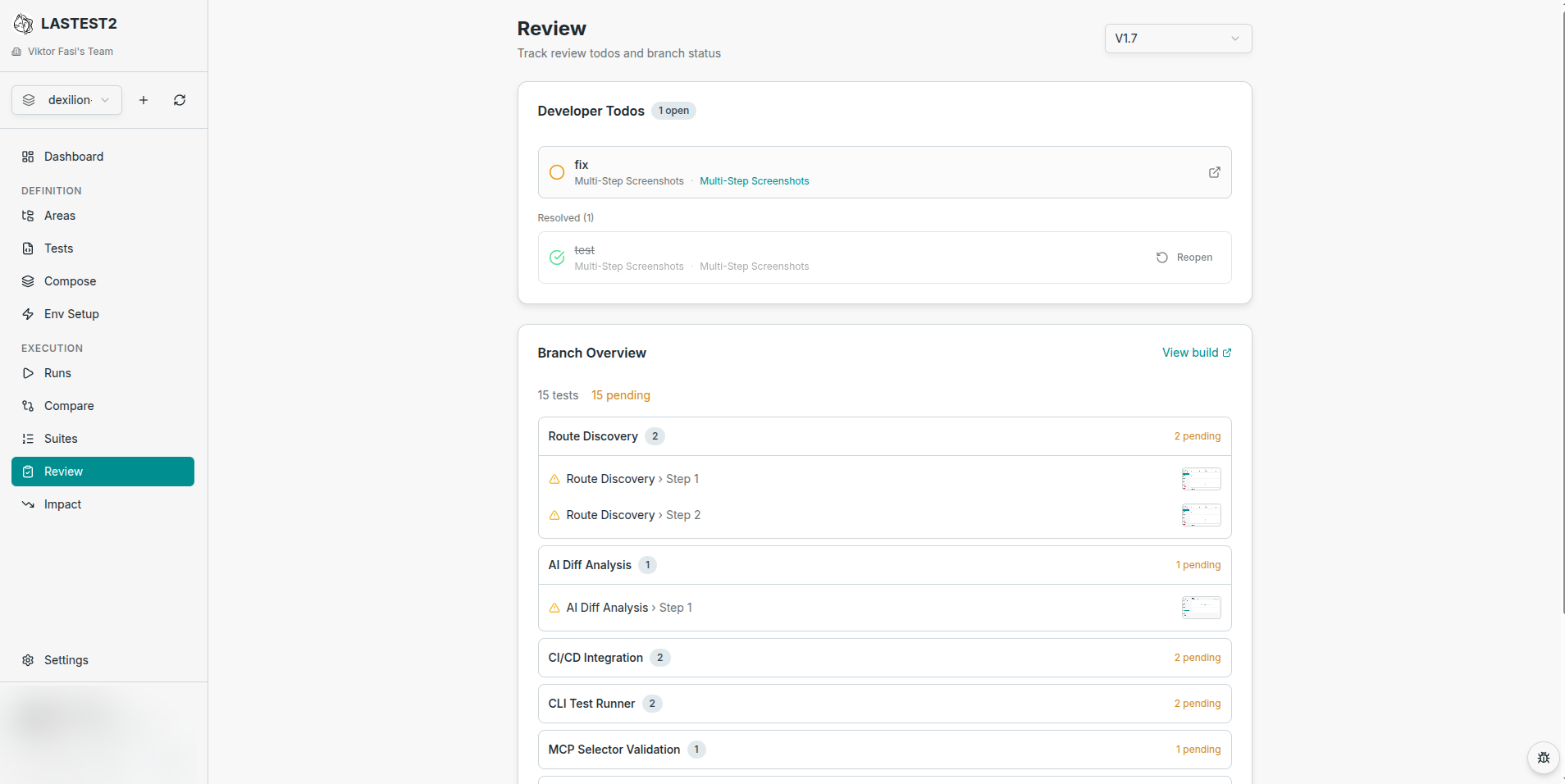
Step 5: Review and Approve
Every screenshot appears in the review dashboard - side-by-side view, diff engine selection, AI analysis. Approve to set baselines.
Step 6: Add to CI
name: Visual Tests
on: [pull_request]
jobs:
  visual-test:
    runs-on: ubuntu-latest
    steps:
      - uses: actions/checkout@v4
      - uses: las-team/lastest/action@main
        with:
          server-url: ${{ secrets.LASTEST_SERVER_URL }}
          runner-token: ${{ secrets.LASTEST_RUNNER_TOKEN }}
What You Get
- Full visual test suite generated by AI
- Baseline screenshots of every page and state
- Review dashboard for team collaboration
- Three diff engines
- CI/CD integration on every PR
- Zero recurring cost - replays are free forever