
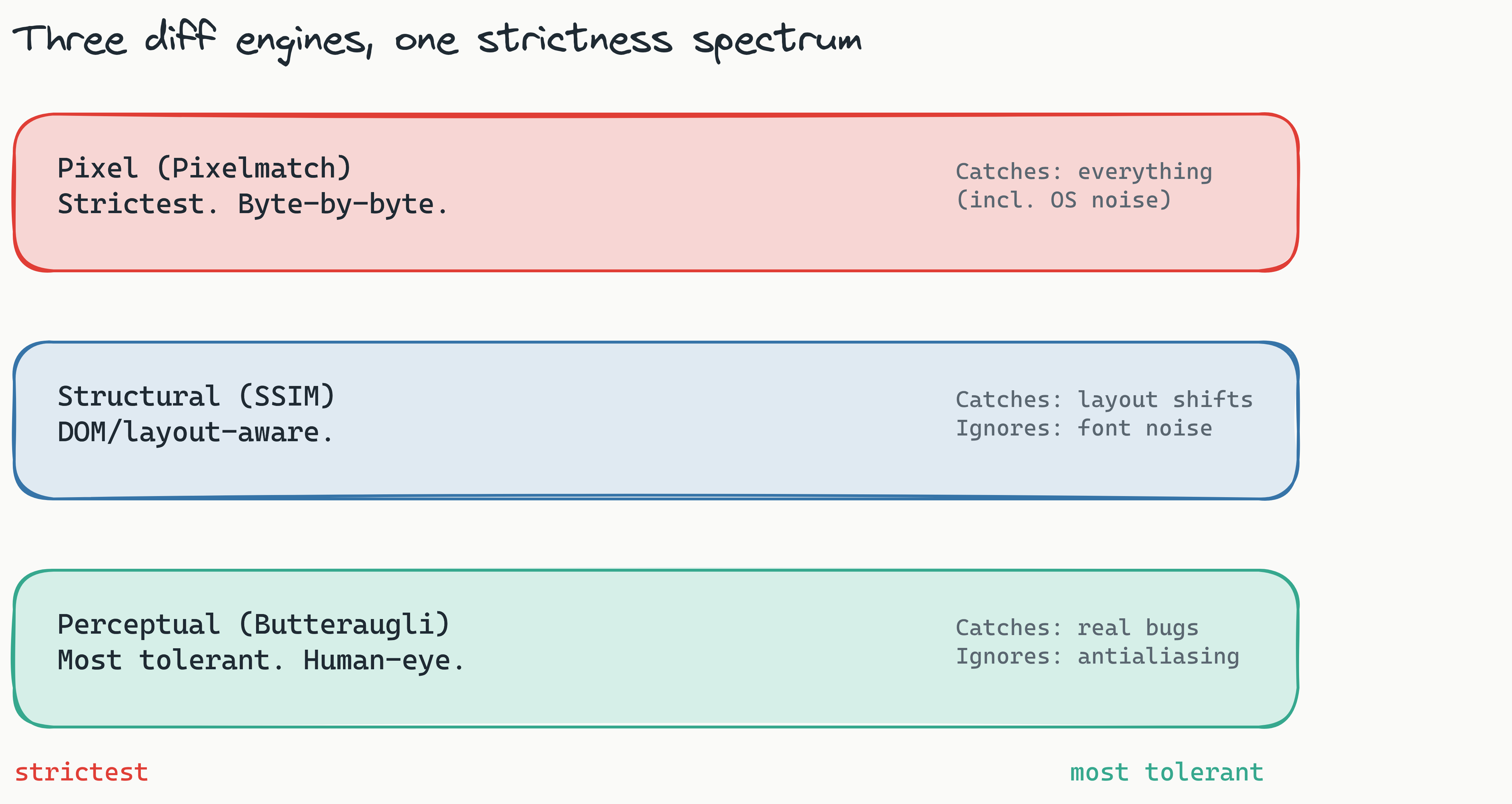
Lastest ships with three distinct comparison modes: pixel diff for exact matching, structural diff for DOM-aware comparison, and perceptual diff for human-eye similarity scoring. Choosing the right engine depends on whether you need precision, flexibility, or tolerance for antialiasing and rendering variance.
Pixel diff
The pixel diff engine compares screenshots byte-by-byte. If even a single pixel differs between the baseline and the new screenshot, it flags the change. This is the strictest mode and catches everything - including subpixel rendering differences across operating systems.
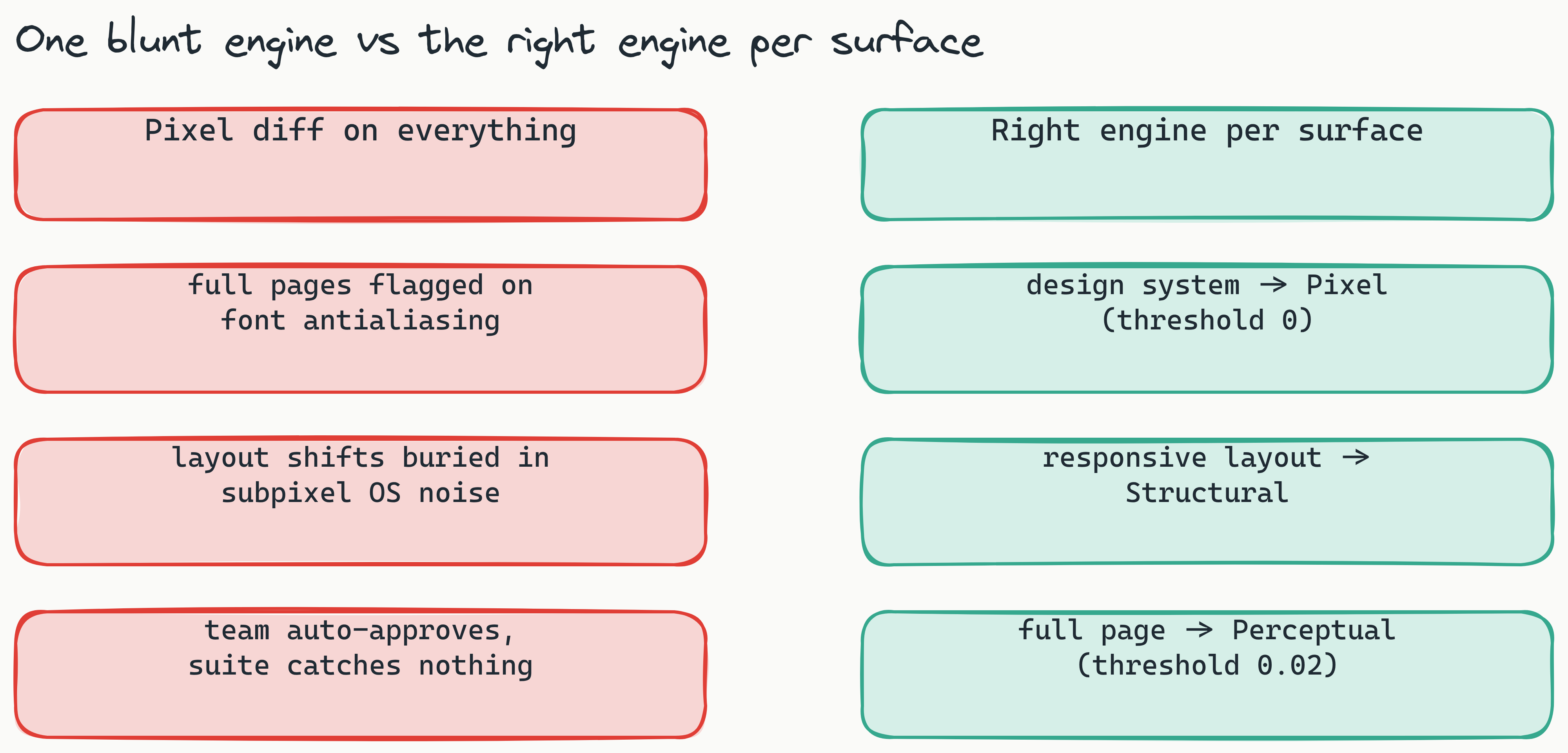
Best for: design systems, component libraries, and any context where pixel-perfect consistency matters.
Structural diff
The structural diff engine understands the DOM. Instead of comparing raw pixels, it compares the layout tree: element positions, sizes, visibility, and stacking order. This makes it tolerant of font rendering differences while still catching meaningful layout shifts.
Best for: responsive layouts, cross-browser testing, and catching layout regressions without false positives from text rendering.
Perceptual diff
The perceptual diff engine models human vision. It uses a perceptual color difference algorithm to score how visually similar two screenshots are, ignoring differences that a human wouldn't notice - like slight antialiasing variations or 1px shifts in shadow rendering.
Best for: end-to-end visual testing where you want to catch what users would actually see, not what a pixel counter would flag.
Combining engines
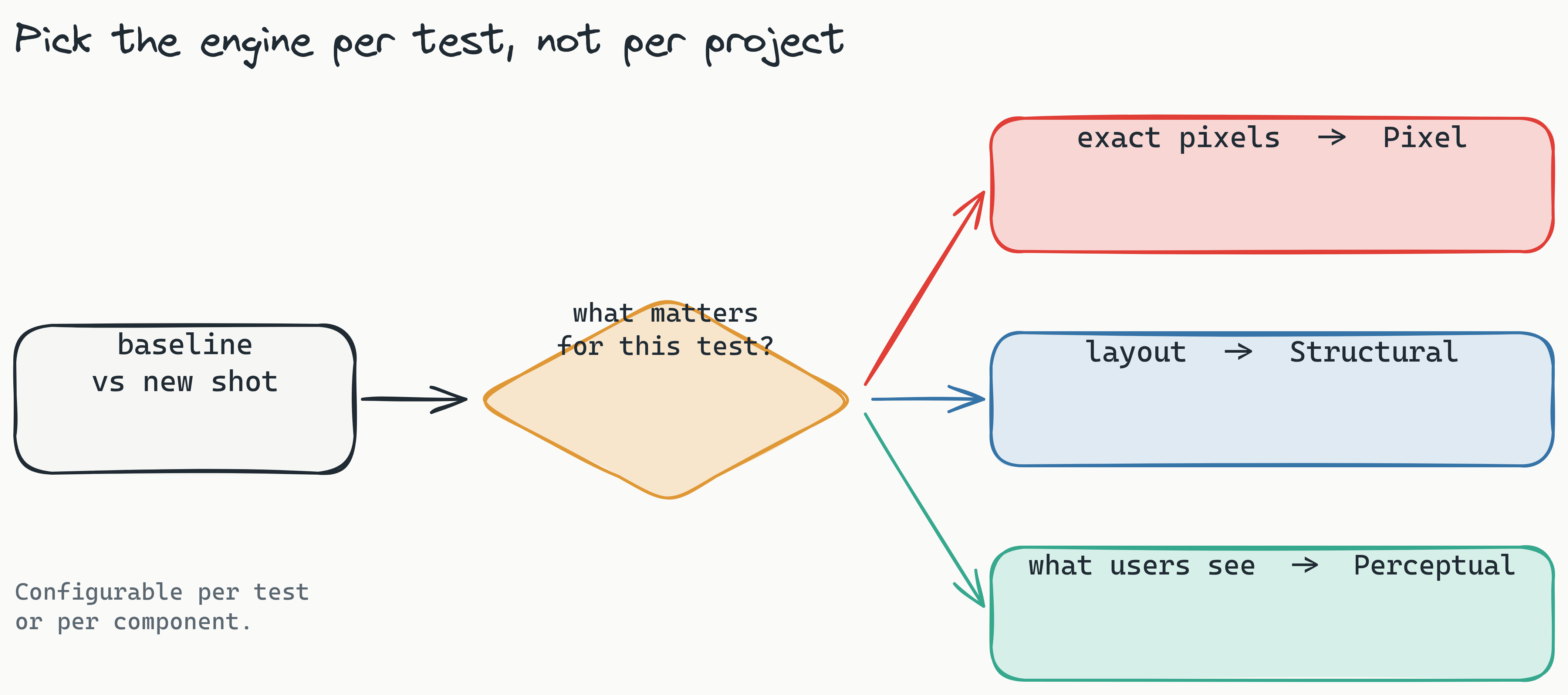
You can configure different diff engines per test or per component. A common pattern is to use pixel diff for your design system components and perceptual diff for full-page screenshots.
tests:
  - name: "Button component"
    engine: pixel
    threshold: 0

  - name: "Dashboard page"
    engine: perceptual
    threshold: 0.02